Universal Account Number (UAN) Login is your gateway to managing your Employee Provident Fund (EPF) details online. EPFO, run by the Ministry of Labour and Employment, takes care of the Provident Fund for India’s salaried employees. To access your EPF account, check your contributions, or update your details, you need your unique UAN.
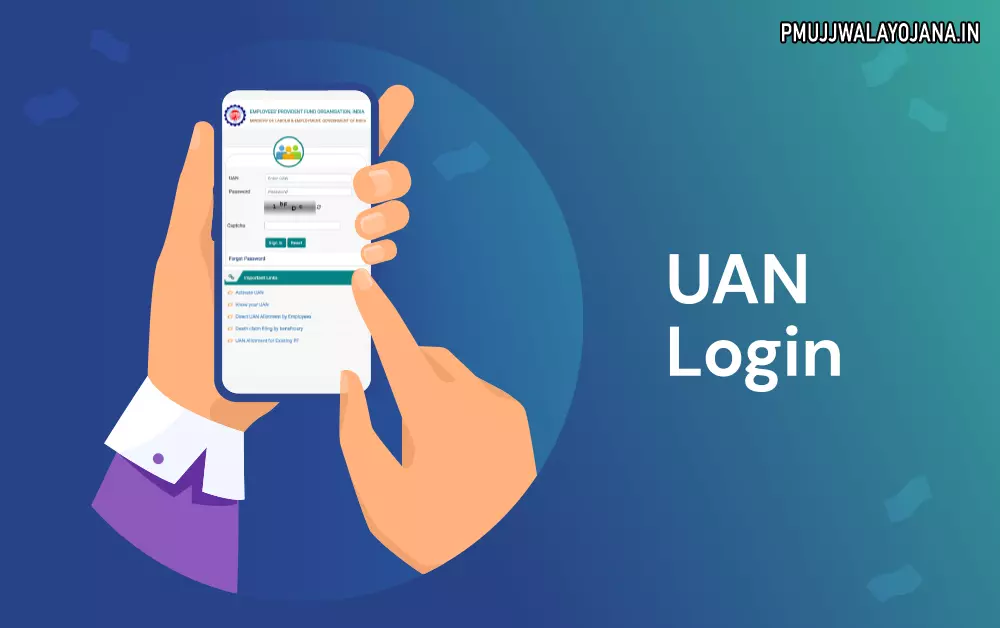
Understanding UAN Login for EPFO Members
If you are a salaried employee in India, EPFO will assign you a Universal Account Number (UAN). This helps you keep track of all your PF contributions even if you switch jobs. You can check your EPF balance, download your EPF passbook, and manage your account easily with your UAN login. Linking your UAN with your AADHAR number is important to get your employer’s contributions without any issues.
Simple Steps for UAN Login in 2025
If you already know your UAN, logging in is easy:
- Go to the official EPFO member portal.
- Enter your UAN number, password, and captcha code.
- Click on “Sign In” to access your EPF dashboard.
On your homepage, you can view your profile, service history, passbook, and UAN card. The “Manage” section lets you update your basic details, contact info, KYC documents, and nomination. The “Online Services” tab helps you claim EPF forms, transfer PF amounts, check claim status, and more.
How to Register and Activate Your UAN
- From the EPFO homepage, click “For Employees” under “Services.”
- Select “Member UAN/Online Services” and then click “Activate UAN.”
- Fill in details like UAN, member ID, AADHAR number, name, date of birth, and captcha.
- Agree to share your AADHAR and click “Receive Authorization PIN.”
- Enter the OTP sent to your mobile and click “Validate OTP and Activate UAN.”
- You will get an SMS confirming successful activation.
Employer’s Role in Creating UAN for New Employees
- Employers log in to the EPF employer portal with their ID and password.
- Choose “Register Individual” and select “No” for past employment if applicable.
- Enter new employee details like PAN, AADHAR, and bank info.
- Confirm details under Approval box.
- EPFO then generates the UAN and links it with the employee’s PF account.
How to Find Your UAN If You Forgot It
- Visit the UAN portal and click on “Know your UAN” under Important Links.
- Input your mobile number and captcha, then request OTP.
- Enter the OTP and validate it.
- Fill in your name, date of birth, and AADHAR number or use PAN/member ID as alternatives.
- Your UAN will be displayed on the screen.
Check Your UAN on Your Salary Slip
You can also find your UAN printed on your monthly pay slip, usually labelled as PF UAN.
Resetting Your UAN Login Password
- Visit the EPFO UAN portal and click “Forget Password.”
- Enter your UAN and captcha, then submit.
- Provide your name, birthdate, and gender as requested and click verify.
- Verify using your AADHAR number and captcha, and agree to the verification terms.
- Enter OTP sent to your registered mobile and verify.
- Create a strong new password with at least one uppercase letter, special character, number, and minimum 8 characters.
- Confirm password change to update it successfully.
Updating Your Mobile Number on the UAN Portal
- Log in to the EPFO member portal.
- Under “Manage,” select “Contact Information.”
- Choose to update your mobile number and enter it twice.
- Click “Get Authorization Pin” and enter the OTP received on your new mobile.
- Submit to update your number successfully.
Linking Your UAN with PAN for Tax Benefits
- Login to the EPFO member site with your UAN and password.
- Go to “Manage” then choose “KYC.”
- Select “PAN,” enter your name and PAN number, then save.
- After verification by income tax authorities, your PAN will link to your UAN.
Fixing PAN Verification Issues between UAN and PAN Portal
- If your PAN-UAN verification fails even though details match, register a complaint on EPFiGMS website.
- Select your status, provide UAN, personal details, complaint category, and add proof of PAN verification problems.
- Submit the complaint; EPFO will fix it within about 48 hours.
Transferring PF Amounts Using UAN Login
- Login to EPFO unified portal using your UAN, password, and captcha.
- Under Online Services, click “One Member-One EPF Account (Transfer Request).”
- Confirm your personal and account details.
- Choose the employer as DSC authorized signatory.
- Verify with OTP and submit Form 13 online.
- Print, sign, and submit the form to your employer within ten days.
- After verification, your PF amount will be transferred.
What To Do If Your UAN Is Not Linked With Aadhaar
You must link your Aadhaar with your UAN to fully use EPF services. You can add Aadhaar through the EPFO member portal or the UMANG app, and your employer must approve it to complete the process.
Steps to Link Aadhaar with UAN
- Login to EPFO member portal using your UAN and password.
- Go to “Manage” and then “KYC.”
- Choose “Aadhaar” and enter your Aadhaar number.
- Save changes; status will show as “Pending.”
- Employer and EPFO verification will finish the linking process.
Verify Whether Aadhaar Is Linked to Your UAN
- Login to EPFO member portal.
- Check “KYC” section under “Manage.”
- If Aadhaar shows as verified, your UAN is linked.
- If not, follow the steps to link Aadhaar.
Frequently Asked Questions (FAQ) on UAN Login
Can I activate UAN via SMS or mobile app?
No, UAN activation is not available via SMS but can be done through the UMANG app, which is free to download on Google Play Store.
What is the required format for the UAN password?
Password must be alphanumeric, 8 to 25 characters long, and include at least one special character like !, @, #, $, %, &, *, or (). Example: abc@1973